Most small businesses selling physical products need 4 to 6 photos per product (a clean main shot, a second angle, a close up detail, a scale shot and one in use) plus a set of lifestyle photos across the range for social media and the website. Shoot them in a consistent setup, at least 1500 pixels square, and you have images that work on your shop, Google and Instagram.
If you sell through your own website, Etsy, a marketplace or Instagram, your photos are doing more selling than your copy is. Below is what to shoot, how to shoot it, when to do it yourself and when to book a photographer, with real examples from a Dorking shop whose products we photograph on an ongoing basis. If you already know you want a professional shoot, see our product photography service.
Key facts
- Per product: 4 to 6 photos for a shop listing.
- Size: about 1500 by 1500 pixels or more, product filling 75% to 90% of the frame (Google Merchant Center).
- Two styles: white background for listings, lifestyle for social media, ads and your homepage.
- Consistency: same background, light and angle across the range matters more than any single great shot.
- With us: send products in or book an on location shoot, edited photos within 7 working days, and the images are yours.
Why Product Photos Matter So Much
Product photos are the closest an online shop gets to letting someone hold the item. As Simply Business's product photography guide puts it, customers who can't see a product in person can find it hard to picture exactly what they are buying. Poor lighting, mixed backgrounds or a blurry angle create doubt at exactly the moment you need confidence.
Good photos also go further than the listing. One shoot can fill your shop, your website and weeks of social posts, which is where the real return comes from.
The Types of Product Photo You Need
Almost every product shoot splits into two main styles, and most businesses need both. We cover the full comparison in white background vs lifestyle product shots. In short:
- White or plain background shots. Clean, isolated and consistent. Essential for shop listings, marketplaces and Google Shopping.
- Lifestyle shots. The product in context, in use or styled with props. Better for social media, ads and your homepage.
- Detail shots. Close ups of texture, labels, stitching or ingredients, the things that justify the price.
- Group and range shots. Several products together, which sell bundles and show off a collection.
- In shop or behind the scenes. Your shelves, workshop or making process. These build trust and do well on Instagram and Facebook.
From Our Shoots: The Historical Herbologist
The Historical Herbologist is a shop in Dorking selling handmade soaps, candles, bath oils, dried flowers and gifts, which also runs workshops. We photograph their shop, products and workshops on an ongoing basis and use those photos to run their Instagram and Facebook, so their feeds are always full of images of their own rather than stock.
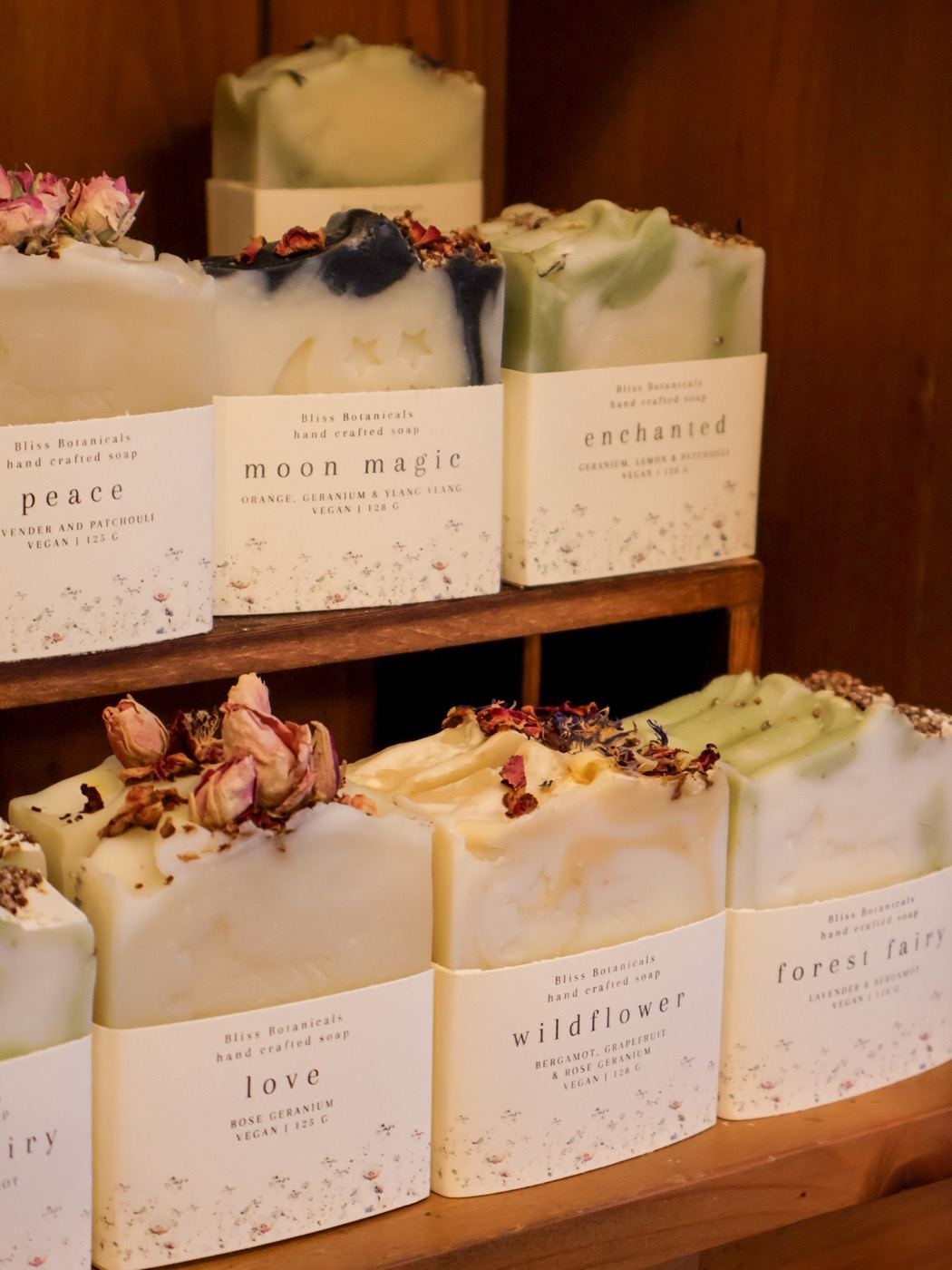
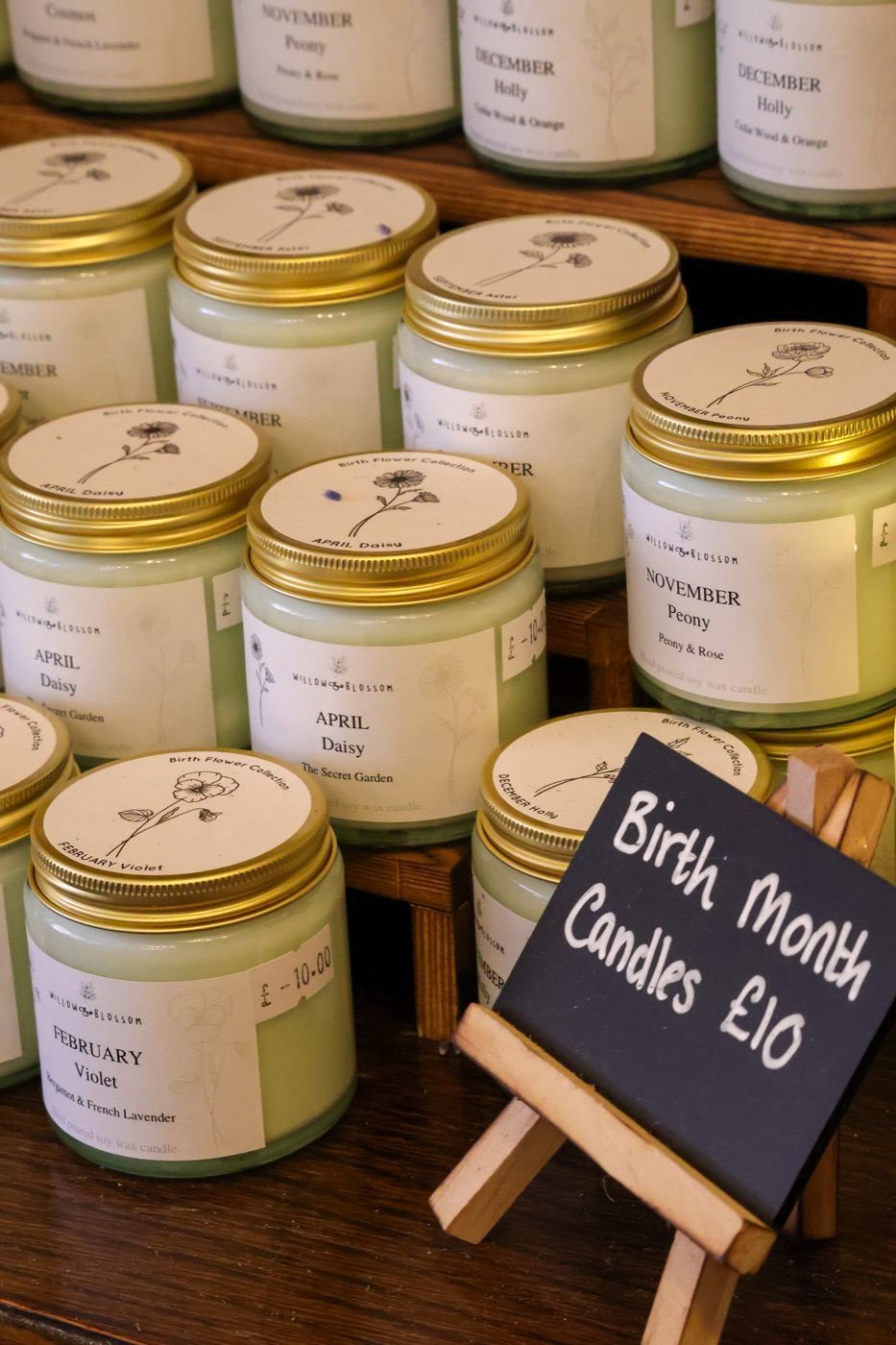
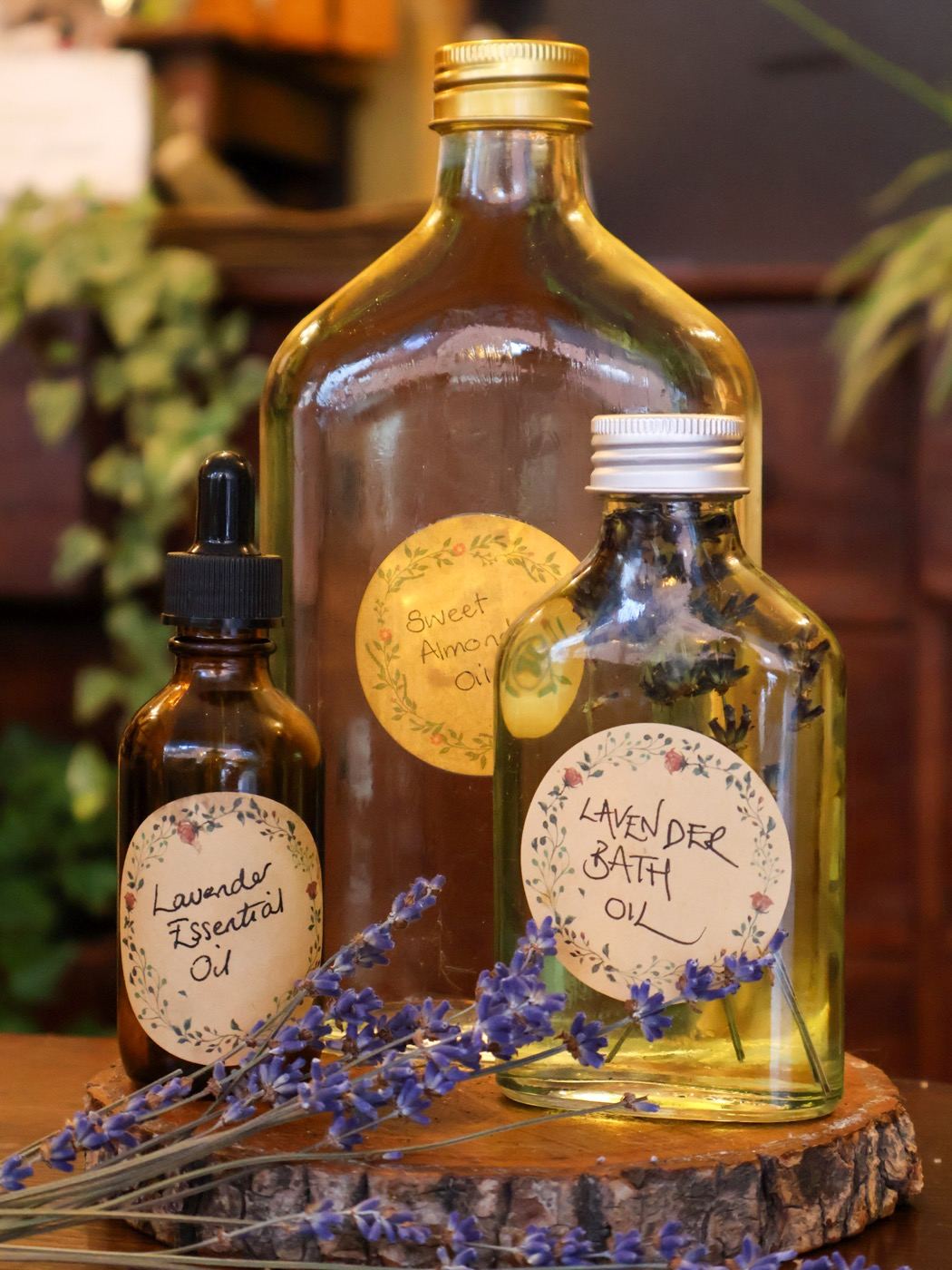
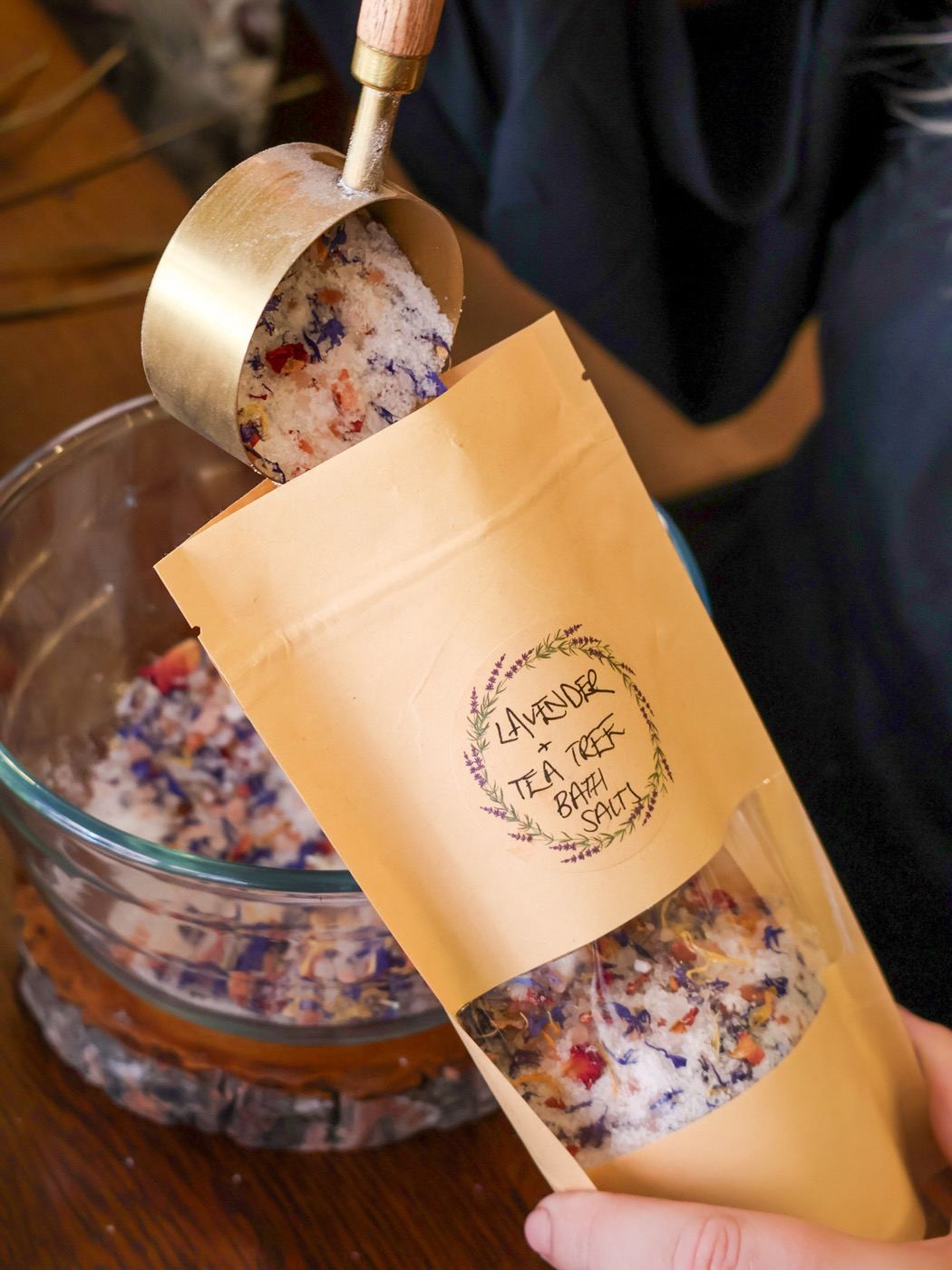
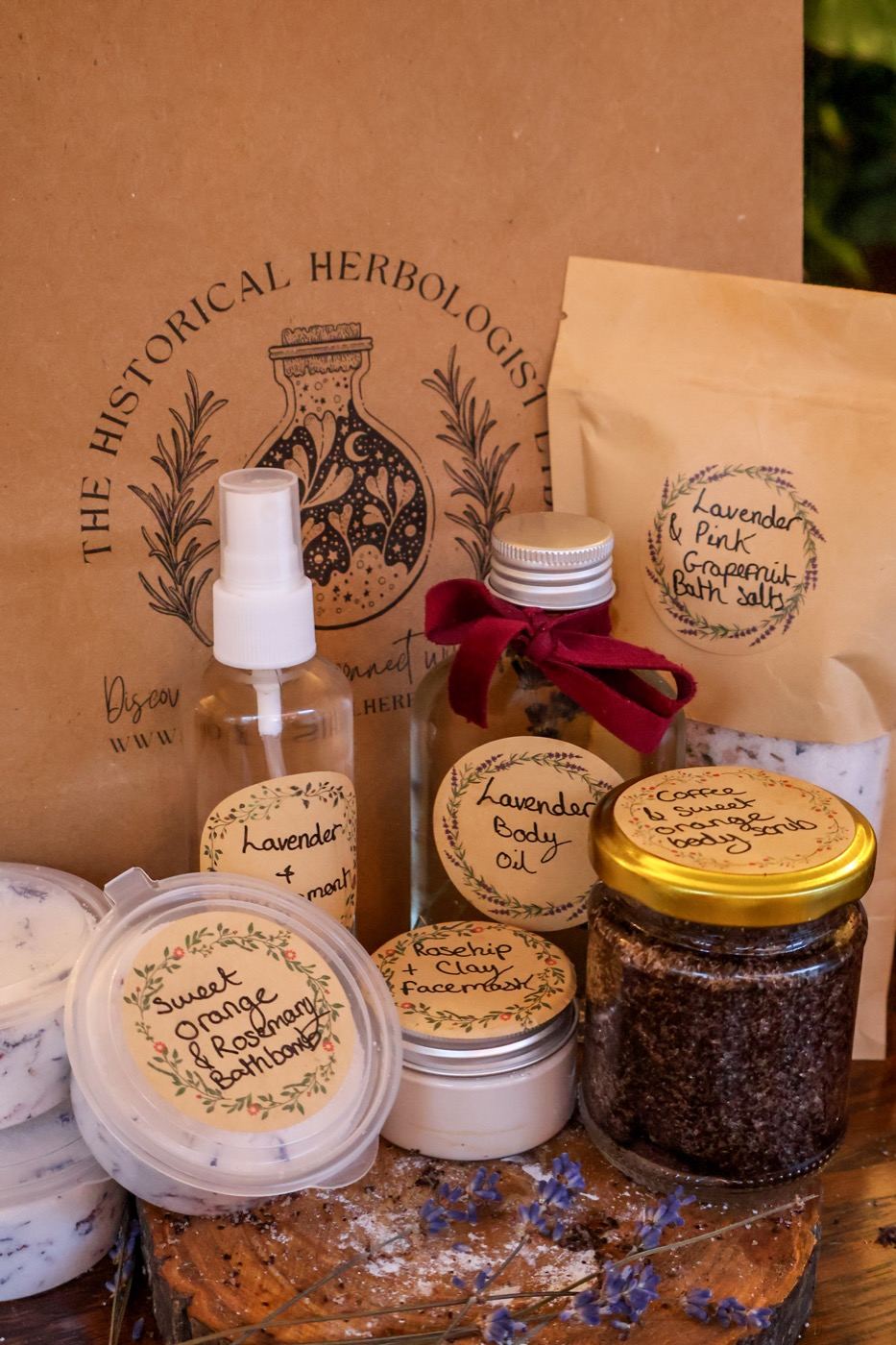
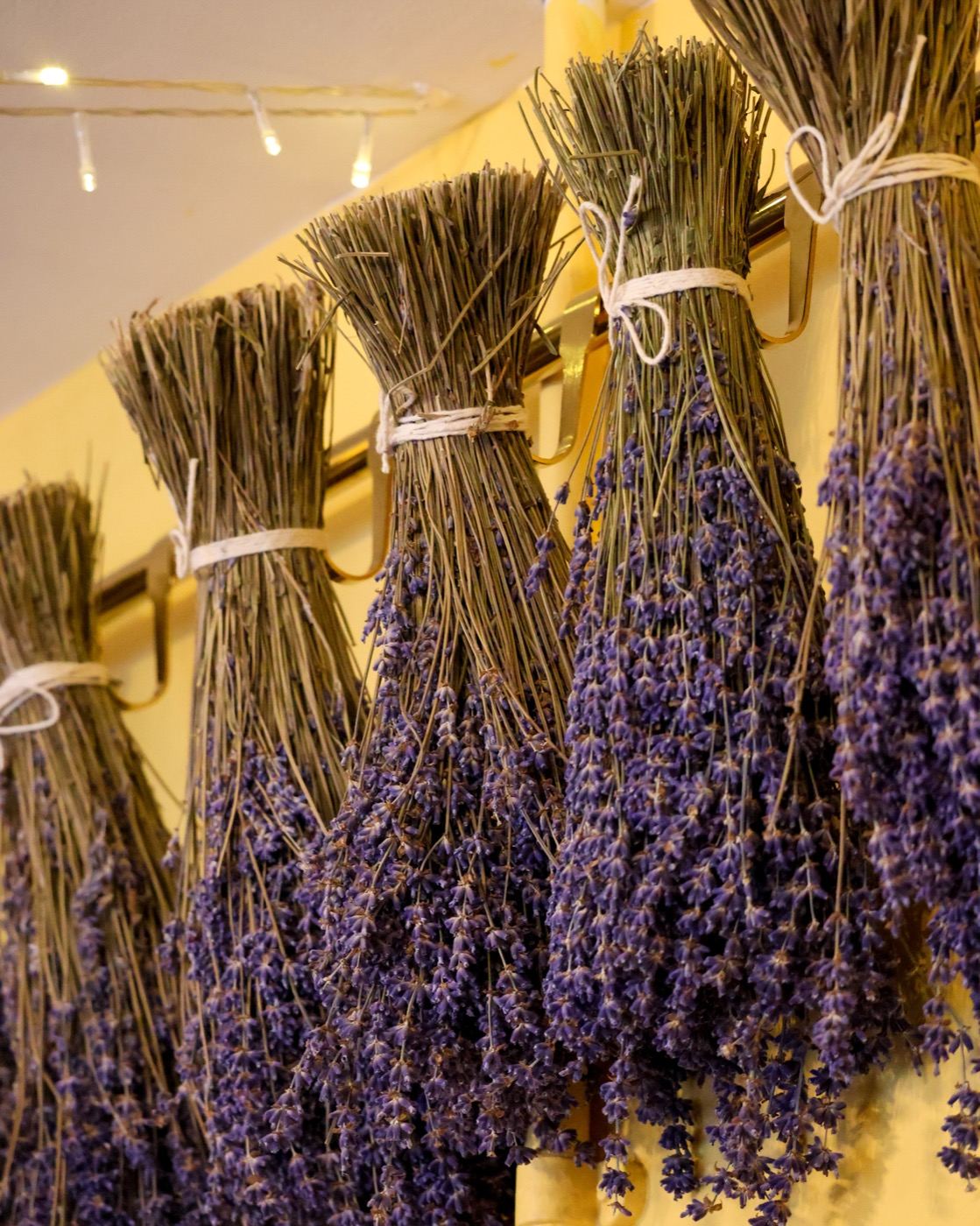
Product, detail, in use and range shots from our ongoing shoots for The Historical Herbologist.
Look at how each photo does a different job. The soap shelf shows the range. The bath oil shot is a styled lifestyle image. The scooping shot shows the product being made and used. The grouped lavender range sells a bundle, and the candle shot carries the price in the photo itself, which works on social media (though not on a marketplace listing).
In August and September 2026, built around those photos, we published 16 Instagram posts, 5 Reels and 24 Facebook posts for them. Compared with the two months before:
| The Historical Herbologist, August and September 2026 | Result |
|---|---|
| Reel views | 3,800, up 144% |
| Reel reach | 2,600 people, up 136% |
| Instagram interaction rate | 27% |
| from 2 posts to 24, with 2,000 post views and 37 new fans |
See the full Historical Herbologist case study.
The Shot List for Each Product
More isn't always better, but too few leaves questions unanswered. This list covers what most customers want to see before they buy:
| Shot | What it answers | Where it's used |
|---|---|---|
| Main shot, plain background | What is it? | Listing thumbnail, Google Shopping |
| Second angle or back | What does the rest look like? | Listing gallery |
| Close up detail | Is it good quality? | Listing gallery, social posts |
| Scale shot (held, worn or beside an everyday object) | How big is it? | Listing gallery |
| In use or lifestyle | Would it suit me? | Homepage, social media, ads |
| Packaging or what's in the box | What arrives? | Listing gallery, gift guides |
On top of that, a handful of range, shop and behind the scenes shots give you weeks of content without reshooting every product. Our 30 social media content ideas show ways to reuse them.
Technical Rules for Shop Listings and Google Shopping
If your products appear in Google Shopping, Google Merchant Center's image requirements are a good standard for any listing:
- About 1500 by 1500 pixels or more is recommended, and files must stay under 16 MB.
- The product should fill between 75% and 90% of the image.
- No added text, prices, watermarks, borders or logos that aren't physically on the product.
- No placeholder images or one general photo reused across different products.
- The main image should show the exact item being sold. Extra angles and lifestyle images go in separate image fields.
Marketplaces such as Amazon and Etsy publish their own rules too, so check them before you shoot. Shooting square, large and on a plain background keeps every option open.
Taking Product Photos Yourself: What Works
You can get decent photos for social posts with a phone. If you're doing it yourself:
- Use window light. Shoot beside a big window, out of direct sun. A white sheet over the window softens harsh shadows.
- Bounce light back in. A sheet of white card opposite the window lifts the shadow side.
- Keep the background plain. A roll of white card or a clean surface, the same for every product.
- Lock your setup. Same spot, same angle, same distance for every item, so the range looks like one shop.
- Clean the product. Dust and fingerprints show up far more in a photo than in your hand.
- Edit lightly. Straighten, crop and correct the brightness. Don't change the colour of the product itself, or you'll get returns.
When to Book a Professional
DIY photos start to cost you when they're the deciding factor in a sale. We'd suggest a professional shoot when:
- you are launching a range or a new website and need every product shot consistently
- your products are shiny, glass, white or very small, which are hard to light well
- you are running ads, where the image is the first thing people judge
- you want lifestyle and in shop photos as well as listing shots
- you simply don't have the hours to shoot and edit a full range
Send In vs On Location
You don't always need a photographer to visit. Many small businesses send their products to us to be photographed, which is usually quicker and cheaper for small items on a plain background.
An on location shoot makes more sense when products are large or fragile, when you want lifestyle shots in your own shop or studio, or when you want product, team and premises photos from the same day. That's how we work with The Historical Herbologist: we shoot in the shop, so every photo carries its look and feel. We shoot on location across West Yorkshire and Surrey, in sessions from one hour up to a full day.
How to Prepare for a Product Shoot
- List every product and how many shots you need of each.
- Pick your best stock: no dents, scuffs or wonky labels.
- Gather two or three photos you like the look of, from any brand.
- Decide where the photos will be used (shop, website, Instagram, ads), so they're framed and sized right.
- If we're coming to you, clear and tidy the area we'll shoot in.
What Product Photography Costs With Us
We quote product photography individually, based on the number of items, the style (plain background, lifestyle or both), the length of the shoot and the number of edited images you need. Every photo is edited and delivered in a private online gallery within 7 working days, and once we hand them over they're yours to use anywhere, with no licensing fees.
Product photos pair naturally with business photography if you also want people and premises shots, and with our social media management if you want the photos turned into regular posts, as we do for The Historical Herbologist.
Get a Quote
Tell us what you sell and where the photos will be used, and we'll come back with a clear quote. You'll deal directly with Ella, our Director of Social Media and Photography, and we reply within 1 business day. See our photography service or get in touch.
FAQs
How many product photos does a small business actually need?
Aim for 4 to 6 photos per product for a shop listing: a clean main shot, a second angle, a close up detail, one that shows scale and, where it helps, one in use. Add a set of lifestyle shots across your range that you can reuse on social media, your homepage and ads.
What is the difference between white background and lifestyle product photography?
White background shots isolate the product on a clean backdrop, which suits shop listings, marketplaces and Google Shopping. Lifestyle shots show the product in a real setting or being used, which helps customers picture owning it and works better on social media and website banners.
Can I take product photos on my phone?
Yes, for casual social posts a recent phone and good window light is enough. For the photos customers use to decide whether to buy, such as your shop listings, website and ads, professional lighting and a consistent setup across every product make a visible difference.
What size should product photos be?
Google Merchant Center recommends images of about 1500 by 1500 pixels or more, with the product filling 75% to 90% of the frame. Shooting at that size or larger gives you files that work across your website, marketplaces and social media.
Should I send my products in or have a photographer come to me?
Sending products in is usually quicker and cheaper for small items shot on a plain background. An on location shoot makes more sense for large or fragile items, for lifestyle shots in your shop or studio, or when you want product, team and premises photos from the same day.
Do I own the product photos after the shoot?
With us, yes. Once we hand the edited photos over they are yours to use on your website, social media, marketplaces, print and press, with no ongoing licensing fees. Always check this in writing with any photographer before you book.